
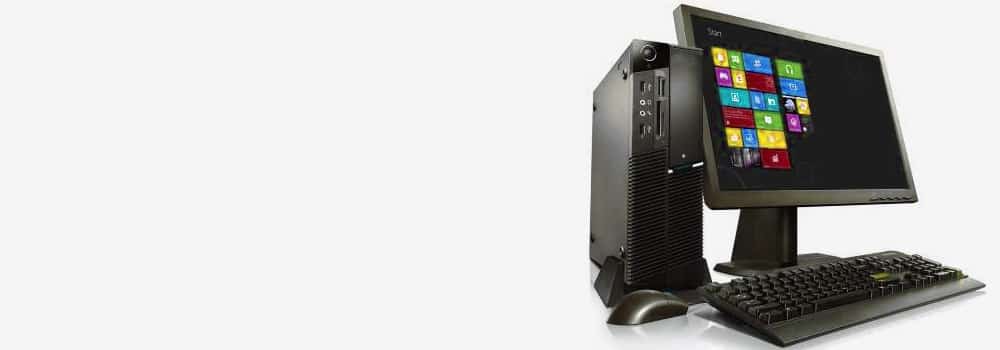





Edinburgh’s No. 1 Desktop and Workstation Computer Data Recovery Expert – 25 Years of Excellence
With over 25 years of experience, we are the most trusted data recovery experts in Edinburgh, specializing in desktop and workstation computer data recovery services. We provide professional solutions for all types of hard drives, brands, and problems to restore your valuable data quickly and securely.
Why Choose Us?
- 25 Years of Expertise: A proven track record in recovering data from desktop computers and workstations.
- Comprehensive Services: Support for all brands, hard drive types, and data loss scenarios.
- Free Diagnostics: No-obligation evaluation to determine the problem and recovery feasibility.
- Advanced Technology: Advanced recovery tools for maximum success rates.
Desktop Computer Brands We Recover From
We recover data from all major desktop and workstation brands, including:
- Dell
- Apple (iMac, Mac Mini)
- HP
- Lenovo
- Acer
- MSI
- Asus
- Corsair
- Alienware
- Raspberry Pi
Hard Drive Interfaces We Support
We recover data from all hard drive interfaces used in desktop and workstation computers, including:
- SATA (Serial Advanced Technology Attachment)
- NVMe (Non-Volatile Memory Express)
- PATA (IDE 3.5″ and 2.5″ Drives)
- M.2 Interface
- U.2 Interface
- SCSI (Small Computer System Interface)
- SAS (Serial Attached SCSI)
- PCIe (Peripheral Component Interconnect Express)
Hard Drive Manufacturers We Recover From
We support recovery from all major hard drive manufacturers, including:
- Seagate
- Western Digital (WD)
- Toshiba
- Samsung
- Hitachi (HGST)
- Kingston Technology
- Crucial (Micron Technology)
- SanDisk (A Western Digital Company)
- ADATA
- Fujitsu
- Maxtor
- Corsair
Common Desktop Computer Hard Drive Issues We Handle
1. Mechanical Failure
- Symptoms: Clicking noises, unresponsive drives.
- Causes: Head crashes, motor failure, or spindle issues.
2. Bad Sectors
- Symptoms: Files cannot be accessed, drive performance slows.
- Causes: Physical wear or interrupted operations.
3. Logical Corruption
- Symptoms: Corrupted files, unrecognized partitions.
- Causes: Software conflicts, improper shutdowns.
4. Physical Damage
- Symptoms: Damaged casing, liquid damage, or impact-related issues.
- Causes: Accidental drops, water exposure.
5. Firmware Corruption
- Symptoms: Drive not recognised by the system.
- Causes: Failed firmware updates, malware.
6. Software Conflicts
- Symptoms: Crashes, inaccessible data.
- Causes: Incompatible programs, drivers, or updates.
7. Overheating
- Symptoms: Frequent shutdowns or data corruption.
- Causes: Poor ventilation or prolonged usage.
8. SSD Controller Failure
- Symptoms: Sudden data loss, unresponsive SSD.
- Causes: Firmware issues, power surges.
9. NAND Flash Wear (SSD Degradation)
- Symptoms: Gradual loss of performance.
- Causes: Excessive write cycles, aging SSDs.
10. Water or Liquid Damage
- Symptoms: Unresponsive or physically damaged drives.
- Causes: Accidental spills or environmental exposure.
11. Accidental Deletion or Formatting
- Symptoms: Lost files or partitions.
- Causes: User error, formatting the wrong drive.
12. Drive Not Detected by BIOS/System
- Symptoms: Drive fails to appear in BIOS or operating system.
- Causes: Connection issues, firmware errors.
13. Power Surges or Electrical Failure
- Symptoms: Fried components, unresponsive drives.
- Causes: Lightning strikes, unstable power supply.
14. Head Crash (HDD)
- Symptoms: Scraping noises, data loss.
- Causes: Physical shocks, aging components.
15. Encrypted Drive Failures
- Symptoms: Inaccessible data due to encryption errors.
- Causes: Key corruption, software malfunctions.
16. RAID Failure
- Symptoms: Missing or degraded RAID arrays.
- Causes: Failed rebuilds, multiple drive failures.
17. Data Loss During Upgrades
- Symptoms: Missing files or partitions after system upgrades.
- Causes: Misconfigured setups, improper handling.
18. Human Errors
- Symptoms: Lost or corrupted data.
- Causes: Accidental formatting or improper partitioning.
19. Power Surges and Electrical Damage
- Symptoms: Corrupted drives or unresponsive systems.
- Causes: Voltage spikes or power failures.
20. SSD Firmware Issues
- Symptoms: Drive stops responding without physical damage.
- Causes: Firmware bugs or failed updates.
Our Data Recovery Process
- Free Diagnostics
- Comprehensive evaluation to identify the issue.
- Customized Recovery Plan
- Tailored recovery strategies for your specific issue.
- Secure Data Recovery
- Advanced tools ensure maximum recovery success.
- Data Delivery
- Recovered data is securely transferred to a storage medium of your choice.
Contact Us for Free Diagnostics Today!
If your desktop computer has experienced data loss, Edinburgh’s No. 1 Data Recovery Experts are here to help. With extensive experience across all brands and issues, we guarantee professional and secure recovery services.
Contact us today for a free diagnostic!